
Case study · Healthcare facilities
Medical Gas Services
Field Audit App for Medical Gas Verification
An offline iPad app verifiers use to audit medical gas systems and generate compliance reports, plus the office tool that runs each job from estimate to invoice.
Overview
Medical Gas Services inspects and verifies the medical gas systems that healthcare facilities, including dental offices, depend on: oxygen, medical air, vacuum and waste anesthetic gas lines, from the central supply equipment to every outlet in the wall. Each audit ends in a compliance report the facility needs.
We built two pieces of software that run the business: an iPad app its verifiers use on site, and a job management tool the office uses to take each job from estimate to invoice. We supported both from 2018 to 2024.
The Challenge
A medical gas audit is detailed, repetitive and high stakes. A verifier works through central supply systems, master alarms, zone valves and area alarms, piping, and every outlet and inlet, answering questions that depend on the type of equipment in front of them. Much of that work happens in mechanical rooms and basements where there is no signal, and larger facilities send more than one verifier at a time.
All of it has to end up in a clear report for the facility. In the office, every job also needs an estimate, a schedule, a job number and an invoice.
What We Built
An iPad audit app built for the mechanical room
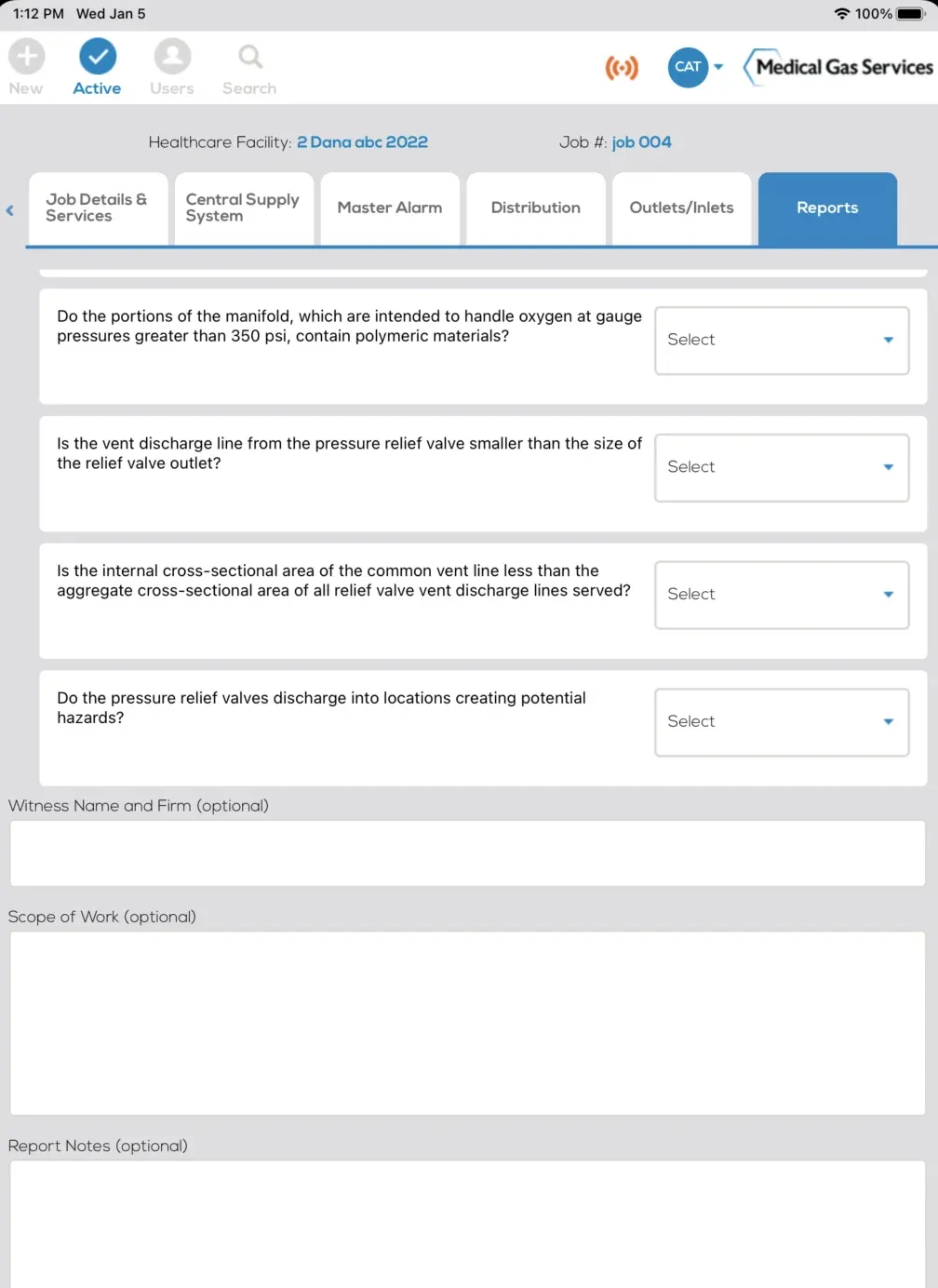
A React Native app with audit forms for each part of the system, including central supply, master alarms, distribution, zone valves and outlets. The questions change with the equipment: cryogenic liquid, medical-surgical vacuum, waste anesthetic gas disposal, dental gas manifolds and air compressors each have their own set. Verifiers can add notes, duplicate a room they have already audited, and save a draft or mark a section complete.
Works offline, with more than one verifier
The app works without a connection. When several verifiers audit the same facility and their iPads reconnect, a custom conflict resolver merges their work so edits to different sections are kept, rather than one verifier's changes overwriting another's.
The report writes itself
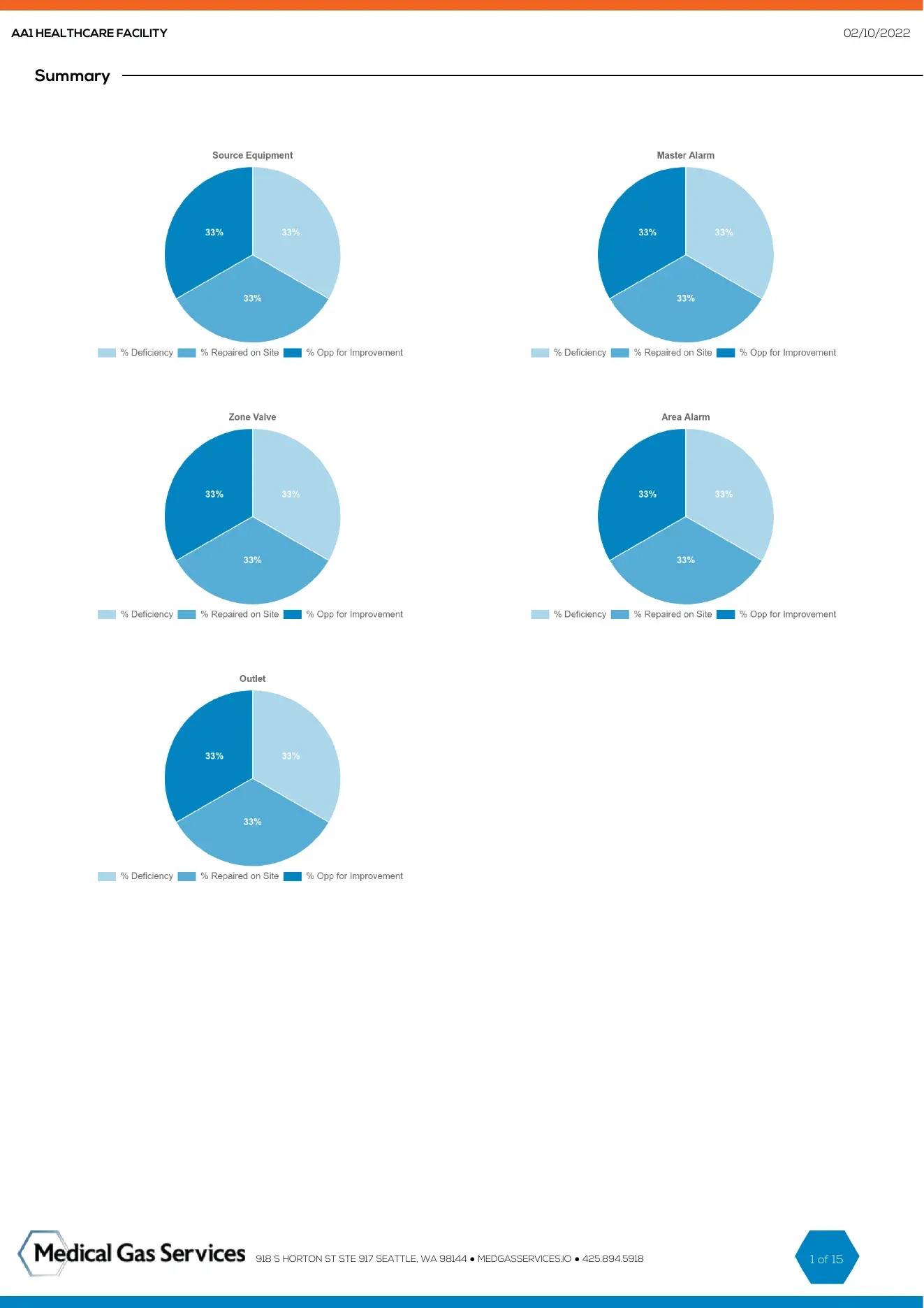
The app turns the answers into a PDF compliance report with a cover page, the required disclaimers and findings for each section. A 2021 redesign added deficiency categories, summary charts, equipment inventory by brand and by location, and a record of items repaired on site.
A job management tool for the office
A web application built on Laravel with roles for administrators, sales, bookkeeping, verifiers and customers. Jobs get an automatic job number built from the client, the month and a sequence. Estimates can be accepted or rejected by the customer, with an expiry date and file uploads. Jobs move through stages from purchase order to on-site verification, report sent and invoiced.
Scheduling that fits field work
Jobs that take more than one visit, customer self-scheduling and rescheduling, and a calendar color-coded by verifier that shows time off. Confirmation and reminder emails, and an inbox and notifications inside the tool.
Connected to the rest of the business
Jobs were pushed to QuickBooks Time for field timesheets, and accounts and contacts sync both ways with Zoho CRM, which is the system of record for customers.
Six years of support
The app is distributed privately to the company's own iPads. We kept both products running through operating system and PHP upgrades, with error and uptime monitoring and a steady stream of change requests.
Results
- Audits captured on an iPad in the field, online or not, instead of on paper.
- Compliance reports generated from the audit itself, with deficiency summaries and equipment inventory built in.
- One office tool for estimates, scheduling, job numbers and billing, connected to Zoho CRM and QuickBooks Time.
- Six years of continuous support across both products.