
How We Run Caffeine
We run our own company on EspressOS, the same setup we install for clients. This is what it does here on an ordinary day, including the parts that have gone wrong.
We are a small software company. For most of thirteen years, running the business ran through one or two people: support tickets, DNS changes, proposals, the newsletter, the website, the hosting. The team builds the client work. Everything around it was owner work.
That stopped being true this summer, and not because we hired anyone. We gave AI agents real access to our systems, wrote down how we do things, and set it up so they do the routine work and we approve it. That setup is EspressOS. We use it before we sell it, and everything below is something it does for us now.

What it is connected to
It talks to most of these through their APIs. Where a service has no API, it uses a web browser running on the same server and works the page the way one of us would. We prefer the API, and we use the browser when it is the only door.
Through the API
- Helpdesk
- Issue tracker
- DNS and domains
- Transactional email
- Marketing contacts
- Invoicing
- Inboxes
- Calendars
- Task board
- YouTube channel
- Search and analytics
Through a browser
- Vendor portals
- E-signature
- Admin screens with no API
Through the command line
- Our servers
- Code hosting
- This website and its form pipeline
Support tickets
-
1
Ticket arrives
A customer emails our help address.
-
2
It does the work
Reads the ticket, checks the site if it needs to, drafts a reply in our voice.
-
3
Checkpoint
We approve
Nothing is sent until one of us reads it, usually on a phone. Say yes, or change a line.
-
4
Sent and closed
It sends the reply and closes the ticket.
The gold step is the checkpoint. Nothing goes out until a person says yes.
Early on it signed off wrong. We told it once. That correction is a rule it reads before every reply now, and it has not happened again.
That is the whole of what people mean by a system that learns. Something got written down, and something reads it every time.
The gap nobody asked it to find
Some of our work is public sector, which means reading long bid documents. On one of them it found a requirement we could not meet as we stood.
-
1
A bid is listed
It pulls new listings from the bid portals every day.
-
2
It screens it
It reads the documents against what we do and what we already have in place.
-
3
It spots a gap
This one called for a special insurance policy we did not carry.
-
4
It drafts the fix
An email to our insurance carrier asking for a quote, written and waiting.
-
5
Checkpoint
We send it
One yes. If we win the work, the coverage is ready to add.
Nobody asked it to write that email. It knew who our carrier was and why the gap mattered, because how we work is written down.
Proposals, signatures and invoices
One job, start to finish. The gold steps are ours to approve.
-
1
We talk through the job
In a chat, usually by voice.
-
2
Proposal drafted
In our format, from what it knows about us and the client.
-
3
Checkpoint
We read it
One of us reads the proposal and says yes or changes it.
-
4
Out for signature
It sets up the agreement in our e-signature account and places the fields.
-
5
Checkpoint
Invoice
When the work is billable, it drafts the invoice. We read it and send it.
Two checkpoints. Nothing reaches a client until one of us has read it.
Vendor paperwork
New vendor portals want the same things every time: a W-9, company numbers, a form to fill in. It knows where those live, fills out the PDF, and uploads it through the portal in its browser. This used to be an afternoon. Now it is a yes.
This website
We moved this site off WordPress to a static build we host ourselves. EspressOS did most of the porting and most of the checking. It found videos sitting on the old server that we had forgotten about, put them on our YouTube channel, and updated the pages that referenced them. First commit to live site was under a week.
It still runs the site. New pages are built on a preview for us to read, deployed when we say so, and submitted to Google afterwards. When we ask, it reads the search and traffic numbers and tells us what changed.
Content
Every night it drafts up to three post ideas from our sent mail and whatever we worked on that day, and they are on the dashboard in the morning. We pick one. It drafts the post in our voice. Nothing publishes until we say so. The newsletter works the same way.
What runs without being asked
Some of the work is on a schedule. Nobody starts it, and the results are waiting when we look.
-
1
Every 5 minutes
The dashboard refreshes: what is due, which chats wait on us, which emails need us.
-
2
Every night
It reads the day's work and drafts up to three post ideas.
-
3
Every night
A security check runs on its server.
-
4
Every morning
New pages on this site are submitted to Google.
-
5
Every month
It checks its own setup, and server maintenance runs.
Each of these is a job that runs today.
One page for the day
All of it ends up on one page: what is due, which conversations are waiting on one of us, which emails need a person, and how the website and the server are doing. It is the first thing we open in the morning, usually on a phone. It replaced the morning and evening summary emails we used to get, because a page that is always current beats an email that is stale by lunch.
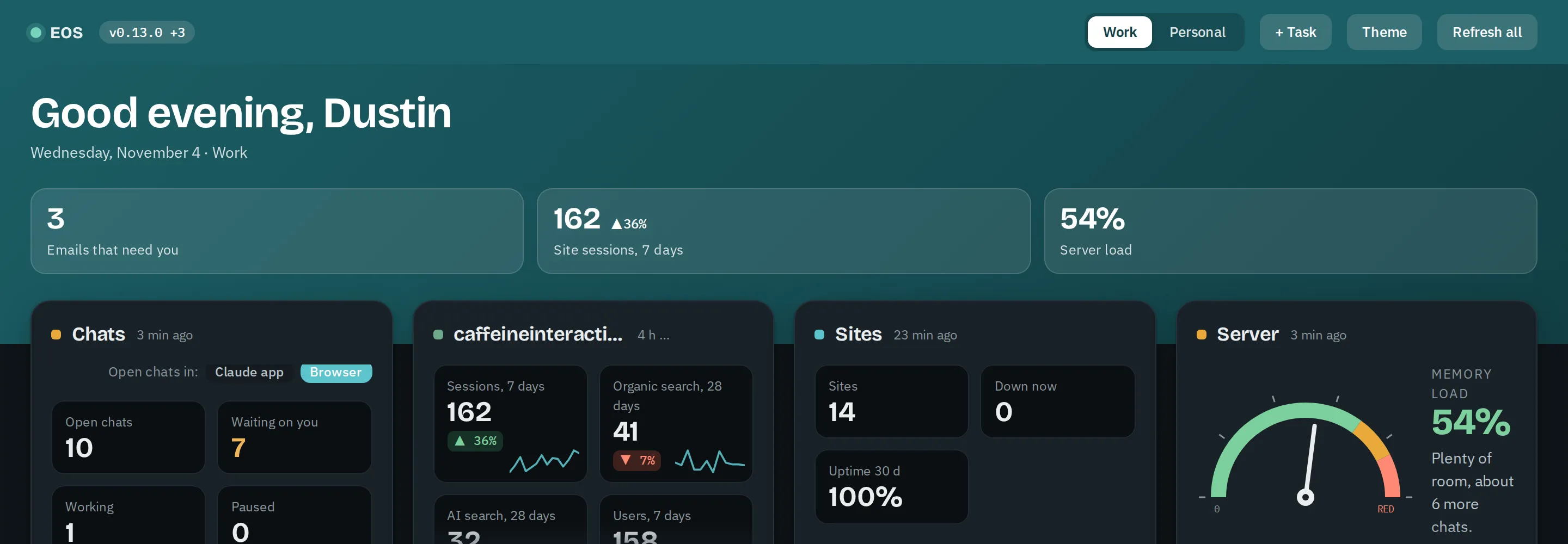
Part of our dashboard. The panels with client names are left out here.
Where we work from
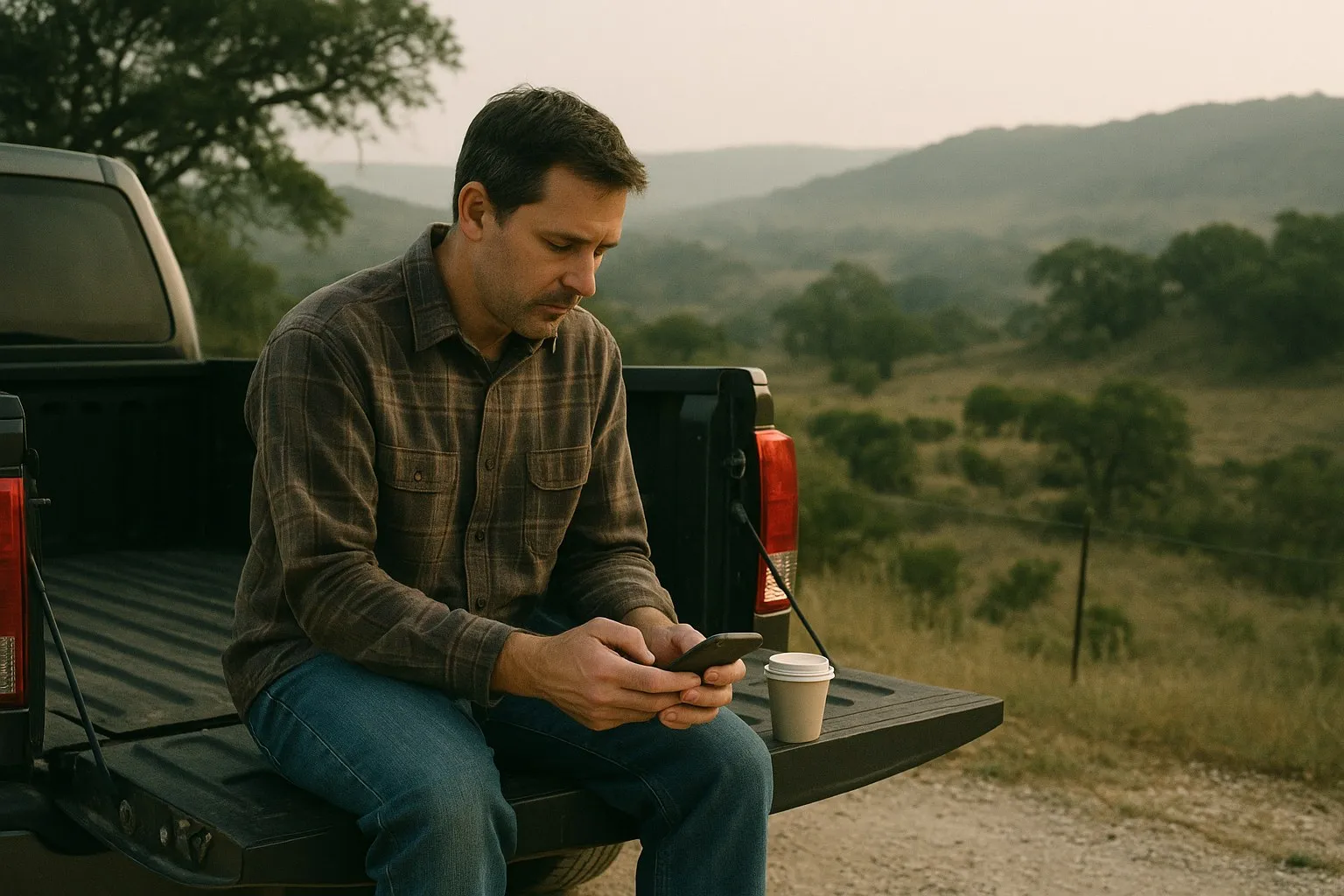
It runs on a server, and so does the browser it uses. Nothing depends on a laptop being open. Most instructions go in by voice from a phone, and the approvals come back the same way. There are mornings when that is the whole office.
How it is organized
Each job has its own conversation with its own notes, so a support ticket never sees a proposal and a proposal never sees the books. One front-door conversation takes whatever comes in and sends it to the right place.
About thirty documents describe how we work: our voice, our servers, how to reply to a client, how to migrate a site, how to write a proposal, what we have and have not done. It reads the ones it needs for the job in front of it. When something changes, or when we correct it, the document changes. Every change is kept, so we can see what it knew and when.
What it does not do
- It does not send, publish, buy or change anything that matters without one of us approving it.
- It works with API keys and tokens stored on its own server. When a login needs a password or a code from a phone, one of us enters it.
- It runs on one server and depends on one AI vendor. We would rather say that than imply otherwise.
- It gets things wrong. The setup is built so that wrong shows up as a draft nobody approved, rather than as an email a client received.
Why we now build this for other people
We did not build it to sell it. We built it because we were the bottleneck. It turned out the parts are the same for any small business: connect the tools, write down how you work, let AI agents do the routine part, and keep a person on the approvals.
So it became one of the things we do, alongside the websites and the apps. It is the same work we have always done, connecting systems, with a newer and much faster tool in the middle of it. The packaged version is EspressOS, and what you have just read is the first installation.
Want to see it?
We are happy to walk through any of this with you on our own setup, including the parts that have gone wrong.
See EspressOS