
Phase 2: A Practical Guide to Prototyping for Early Product Validation
Prototyping as an Option, Not a Commitment
Where ideas meet reality
Early product ideas rarely fail because they are impossible to build. They fail because teams commit too much, too early, before learning whether anyone actually cares.
This is the moment where many teams either stall or overinvest. Some wait for certainty that only real usage can provide. Others build too much, too fast, mistaking progress for validation.
There is a better way to approach this stage of product development.
The goal is to create something real enough, fast enough, that real users can react honestly.
Prototypes create options
A prototype creates optionality.
You are making a small, intentional investment to learn whether an idea is worth deeper commitment. The objective is not to build the asset yet. The objective is to buy information.
This mirrors how options work in financial markets. You pay a limited cost up front to preserve the ability to act later, once more information is available.
If the signal is weak, you walk away with minimal loss. If the signal is strong, you move forward with confidence instead of hope.
Teams get into trouble when they skip this step and commit fully before learning how the market will respond.
Speed has the highest leverage here
At this stage, speed matters more than polish.
The faster you can get something in front of users, the faster you learn:
- Whether the problem is painful enough to drive action
- Whether the value is obvious without explanation
- Whether the workflow matches how people actually work
- Whether users return on their own
Well-crafted interfaces and clean code do not produce these answers. Exposure does.
That is why momentum consistently beats elegance early on.
What this actually looks like in practice
In practice, this stage usually involves a loose stack of tools chosen for speed, not longevity.
Design tools like Figma are often used to sketch and test flows quickly, either as clickable prototypes or as a way to align on what the experience should feel like before anything is built.
Vibe coding and AI-assisted development tools are increasingly used to stand up rough, functional interfaces fast. These approaches trade clean architecture for momentum, which is the right trade at this point. The goal is to get something working well enough to react to, not something you plan to maintain.
No-code and low-code platforms often fill gaps where automation or data handling is needed without writing everything from scratch. They are especially useful when the value is in the workflow or outcome rather than the underlying technology.
Sometimes the prototype is partially manual. A simple interface paired with human effort behind the scenes can be enough to test whether users actually want the result.
The common thread is not the specific tools. Everything is chosen to minimize the time between an idea and a real user reaction.
How to actually build a prototype
This work starts by deciding what you need to learn.
Before writing code or designing screens, identify the riskiest assumption behind the idea.
That assumption might be:
- Users will understand the value without explanation
- A specific workflow reflects real behavior
- The problem is painful enough to change habits
- People will return after the first interaction
Your prototype should exist to test that assumption directly.
Step 1: Narrow to a single moment of value
Effective prototypes focus on one clear use case.
Not the full product. Not the entire journey.
Just one moment where a user accomplishes something meaningful.
If you cannot describe that moment in one or two sentences, the scope is still too broad.
Step 2: Choose the fastest believable format
Once the use case is clear, choose the fastest format that still feels real to the user.
That might be:
- Clickable mockups when flow and navigation matter
- A simple web app when interaction is essential
- A rough mobile build for consumer experiences
- A semi-manual or stitched-together tool when outcomes matter more than automation
- A guided walkthrough when understanding is the main risk
Code is useful when it helps test the assumption. It is not the default.
Step 3: Build with intentional constraints
This work benefits from clear limits.
Set boundaries such as:
- A short build window measured in days, not weeks
- Minimal data modeling
- No infrastructure decisions you are afraid to undo
- No features that do not directly support the core use case
Modern tools reduce friction, but discipline keeps the effort focused.
Speed without clarity only creates noise faster.
Step 4: Put it in front of users quickly
A prototype that never reaches users does not generate signal.
As soon as it is usable enough to react to, show it to real people.
Then observe.
Watch where they hesitate. Notice what they misunderstand. Pay attention to what they try to do without guidance.
Avoid explaining or selling. Behavior is the feedback.
Step 5: Iterate narrowly or walk away
Early exposure usually leads to one of three outcomes:
- No meaningful engagement
- Confusion that points to reframing the idea
- Clear pull, where users want more without prompting
Respond narrowly:
- Simplify the flow
- Clarify the value
- Remove features
- Adjust the framing
If the signal does not strengthen quickly, walking away is a responsible outcome. That is how optionality works.
When to repeat this stage and when to move forward
Some feedback suggests refinement. Other feedback suggests a fundamental rethink.
If feedback indicates that users understand the value but struggle with execution or clarity, iteration is usually the right move. You are still in the same problem space, adjusting how the solution shows up.
If feedback consistently pulls toward a different problem or a different user altogether, that signals a larger pivot.
You should repeat this stage when:
- The primary user or buyer changes
- The core problem you are addressing changes
- The main value proposition shifts materially
- The prototype no longer tests the riskiest assumption
You move forward when:
- Users engage without explanation
- The value is clear and repeatable
- Feedback shifts from direction to depth
- Questions change from why to how
Repeating this stage when the signal is unclear is not failure. It is discipline.
Common mistakes at this stage
Teams struggle when they:
- Treat prototypes like production systems
- Optimize code quality instead of learning speed
- Overexplain instead of observing behavior
- Confuse internal excitement with external signal
- Focus on feasibility instead of desirability
Feasibility can be solved later. Desirability cannot.
What success looks like
This approach works when you can answer one question honestly.
Will people meaningfully engage with this if it exists?
Not hypothetically. Not politely. Based on what they actually do.
A clear answer, either way, creates momentum.
Where this leads
Strong signal changes the nature of the work.
Technology decisions begin to matter. Architecture starts to solidify. Deeper investment becomes justified.
Teams that rush or drag out this stage often end up building the wrong thing with unnecessary precision.
Call to action
If you are exploring a product idea and want to pressure-test it quickly, we help teams create fast, honest feedback loops without overcommitting early.
You do not need certainty. You need real signal.
If that would be useful, let’s talk.

AI and Automation
Why Companies Are Blowing Their AI Budgets by May
This week, Uber's President and COO, Andrew Macdonald, said the company burned through its entire 2026 AI coding tools budget in just four months.
AI and Automation
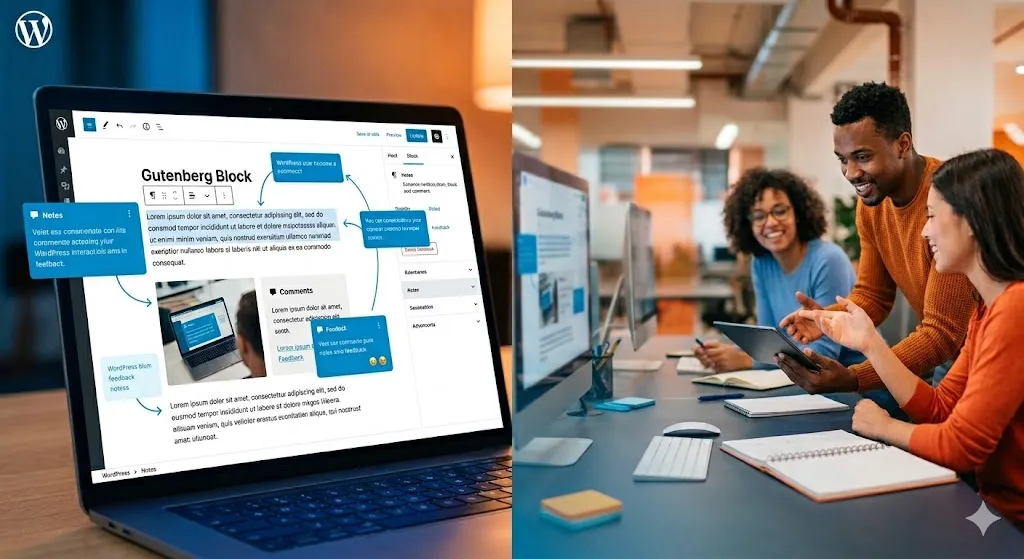
WordPress 7.0: How Real-Time Collaboration and AI Infrastructure Change Your Marketing Workflows
WordPress 7.0 launches April 9. Discover how real-time collaboration, AI connectors, and modern workflow tools can streamline your marketing team. What's coming and why it matters now.

Building Software
Phase 4: Scale and Operate — How to Run a Product That’s Built to Last
Phase 4 is where a validated product becomes a durable business. Learn how to operate, monetize, and evolve a product that's built to last.